Uninterruptible power supplies
How to choose
An uninterruptible power supply helps keep important low-power devices powered during an outage. In this category, not only backup power itself is especially important, but also compatibility in terms of voltage, connectors, and supported load.
What devices it is suitable for
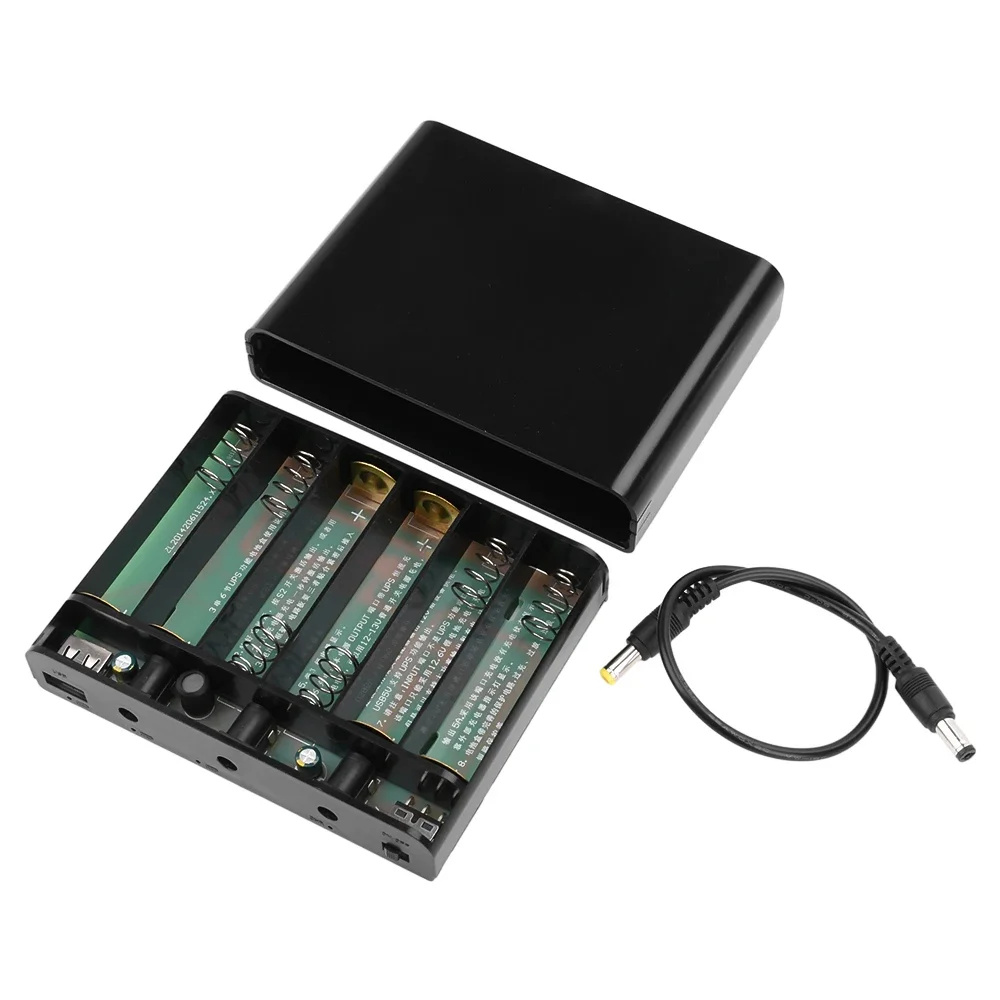
This category includes Mini DC UPS units in a mini / built-in form factor. This format is usually chosen when compact backup power is needed for one or several small network devices, without large enclosures and AC outlets.
The intended use includes IP cameras, ONU/ONT devices, Wi-Fi routers, network switches, and other low-power devices. Before buying, it is therefore best to focus not on the UPS name, but on the specific equipment you want to keep running during a power outage.
Voltage and connector compatibility
First, check what voltage your device requires. The specifications in this category include supported output voltages of 12 V, 9 V, and 5 V, while the output waveform is listed as stabilized DC, which is important for powering sensitive network equipment.
Port types are no less important. The output connectors include a 5.5×2.1 mm DC plug and USB-A, and the total number of output ports is 3. Compare this with the connector on your router, ONU/ONT device, or camera so you do not buy a unit that formally has the required voltage but does not physically fit.
Power and load
Even if the voltage and connector are suitable, the UPS must be able to handle the load of your equipment. The listed maximum output power is 60 W, so you need to estimate the total power consumption of all devices you want to connect at the same time.
It is also useful to check the current of individual outputs. The USB output is listed as 5 V and up to 2 A, the 9 V output as up to 1 A, and the 12 V output as up to 3 A. If your device requires more current, it may operate unstably or may not start.
Runtime and battery
Backup time always depends on the connected load, so this parameter should be considered together with the power consumption of your devices. The battery energy of 70 Wh and estimated total battery capacity of 19200 mAh also provide useful guidance: the less power your equipment uses, the longer it will run on battery power.
Also pay attention to the battery type and battery compartment design. The specifications list Li-ion batteries, 18650 format, and 6 battery slots, as well as a removable cover and separate slots for cells. If maintenance matters to you, it is useful to check whether the battery can be replaced by the user and how long recharging takes.
Switching, indicators, and protection
For everyday use, it is important how the UPS behaves during a power outage. The operating mode lists automatic switching of the UPS to battery backup power, and the transfer time should be checked if you have sensitive equipment that does not tolerate even brief voltage drops.
LED indicators help with control and status monitoring, including a battery charge level indicator and charging status indicator. You should also pay attention to protection features: the specifications include protection against deep discharge, short circuit, overload, overcurrent, and overcharging. This directly affects the safety and service life of the device.
Tips
- Before buying, compare your device's voltage with the 12 V, 9 V, or 5 V outputs and check the plug type.
- If you plan to connect several devices, calculate their total power consumption so it does not exceed 60 W.
- For USB devices, check not only the USB-A port, but also whether 5 V and up to 2 A are sufficient for them.
- If long runtime is important, consider not only battery capacity but also the actual load of your router, ONU/ONT device, or camera.
- If the device uses 18650 cells, observe polarity, do not mix old and new cells, and use only working batteries.