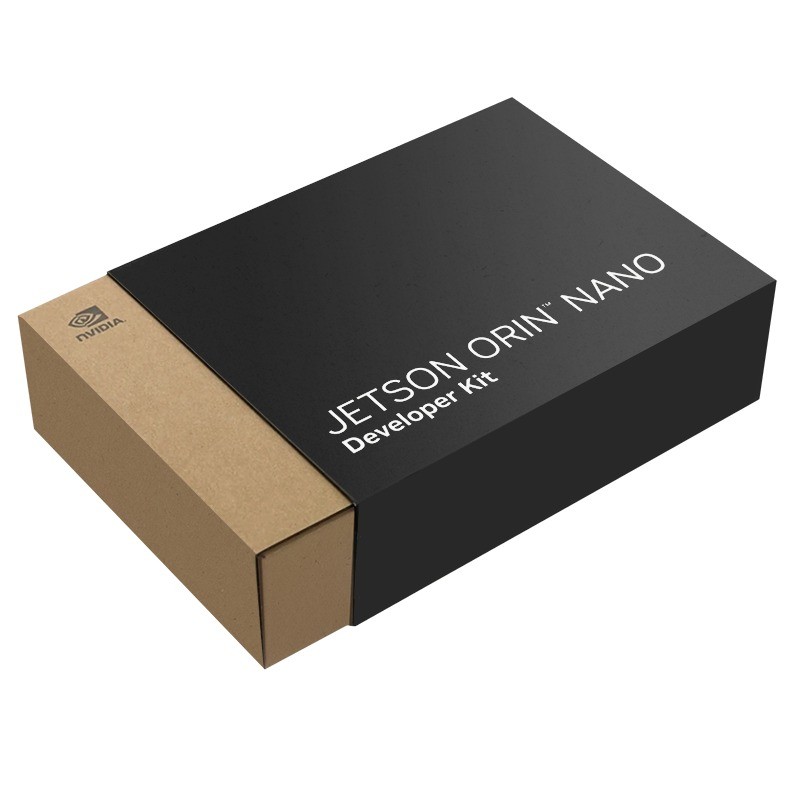
NVIDIA Jetson Orin Nano Super Developer Kit
Delivery and payment
Choose your city or town to see the price with delivery there and when you can get it.
Pickup points
- Branch
- Parcel locker
Pros
- Up to 67 TOPS in SUPER mode
- CUDA/TensorRT/JetPack out of the box
- 2× M.2 for NVMe + microSD
- 4× USB 3.2 + Gigabit Ethernet
- Compact, 7–25 W
Cons
- No HDMI, only DisplayPort
- Storage drive not included
- 8 GB of RAM requires careful management
What is this beast, and who is it for?
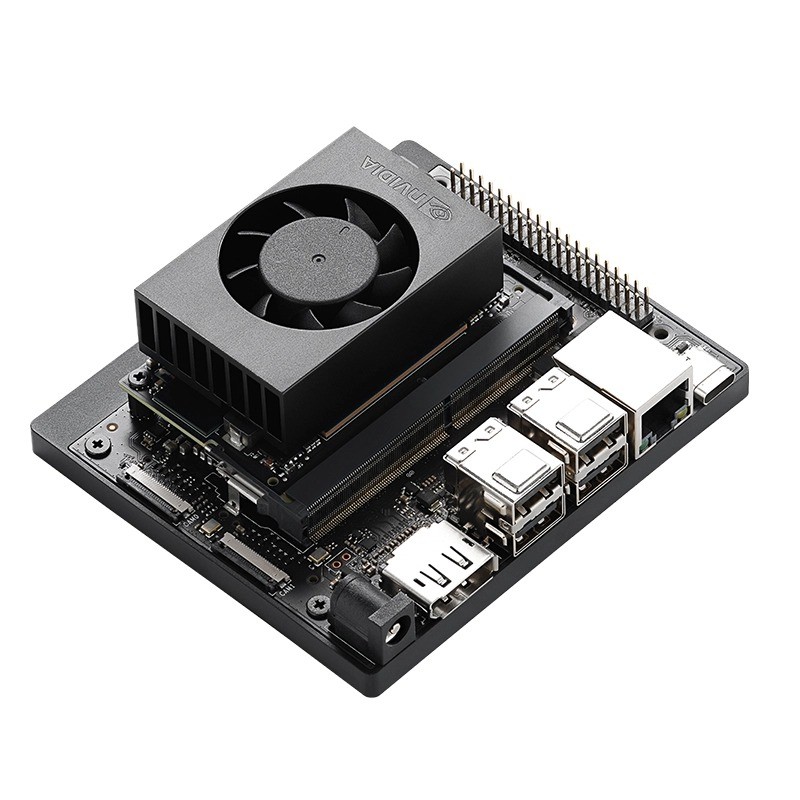
The NVIDIA Jetson Orin Nano Super Developer Kit is a compact edge computer for AI, robotics, and smart video. Its appeal is simple: you get the full NVIDIA stack (JetPack, CUDA, TensorRT, and more) on a small board capable of running modern models on-device, without the cloud or the need to ask for another graphics card.
Why “Super”?
“Super” isn't about a different connector or a magic heatsink. It refers to an updated performance mode (SUPER/MAXN SUPER, depending on the JetPack release) that boosts the platform's AI performance to 67 TOPS (INT8) and increases memory bandwidth. A nice bonus: if you already have a regular Jetson Orin Nano Developer Kit, you can make it Super too with a software update.
Hardware without the marketing hype
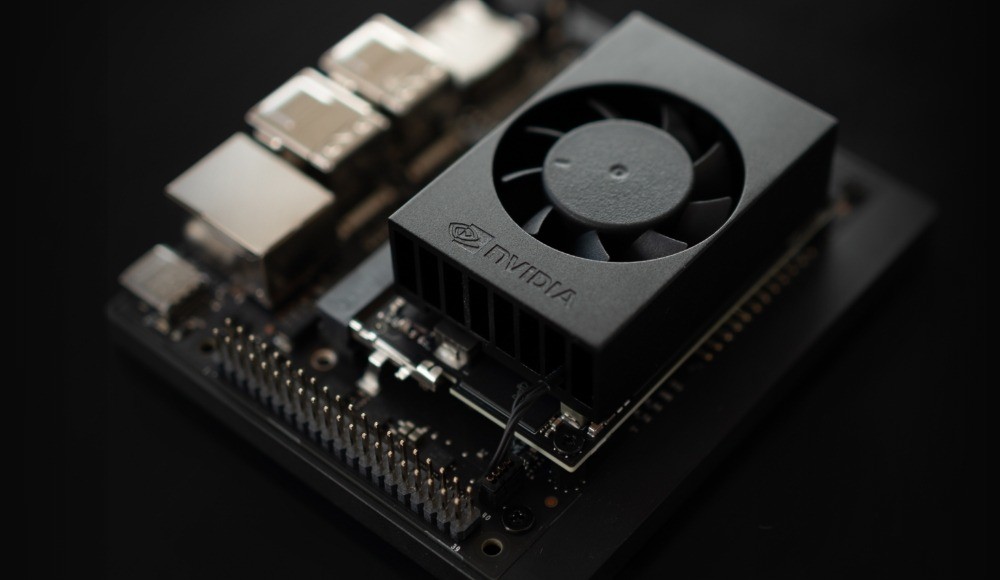
Inside is an SoM with an NVIDIA Ampere GPU (1024 CUDA cores + 32 Tensor Cores), a 6-core Arm Cortex-A78AE, and 8 GB of LPDDR5. This is the kind of device where the question isn't how many FPS it gets in 4K games, but how quickly it runs inference, camera pipelines, ROS nodes, and containers, all without drawing 500 W from the wall.
Ports and expansion: connect almost anything
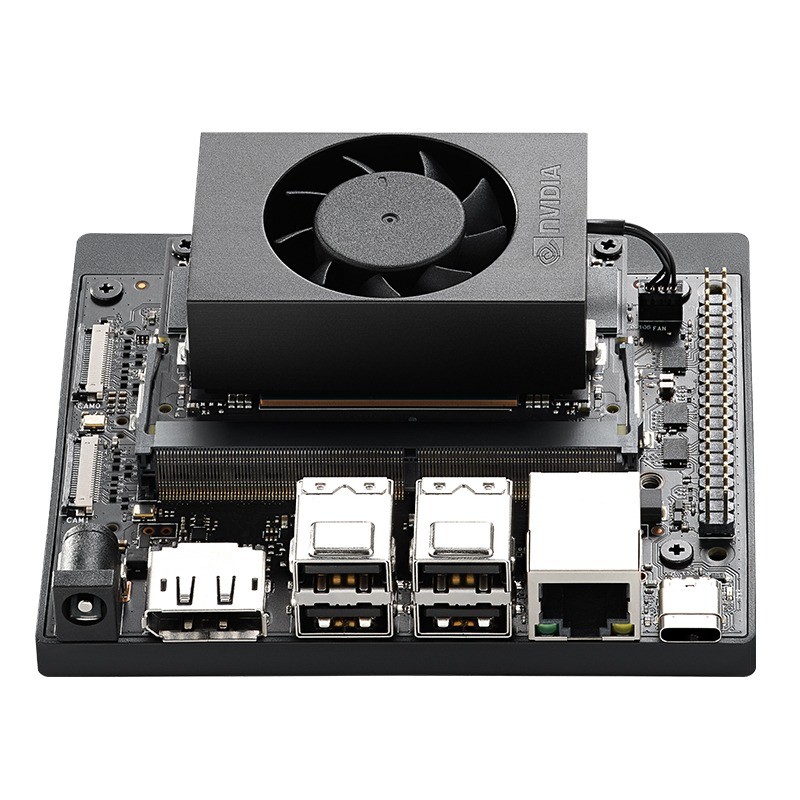
The dev kit's interface layout is one of its strongest features: this isn't a bare module, but a ready-made platform for prototypes:
- 4× USB 3.2 Type‑A (10 Gbit/s) for cameras, lidar sensors, SSDs, and dongles
- 1× USB‑C (data; host/device/recovery, no video output)
- 1× Gigabit Ethernet for a stable network connection and PoE experiments (if needed)
- DisplayPort as the only video output (HDMI only via a DP→HDMI adapter or cable)
- 2× MIPI CSI (22-pin) for camera modules
- 40-pin GPIO (Raspberry Pi-style) for I2C/SPI/UART/PWM and other peripheral magic
- 2× M.2 Key‑M for NVMe (2280 PCIe 3.0 x4 and 2230 PCIe 3.0 x2)
- M.2 Key‑E occupied by a Wi‑Fi/Bluetooth module (included and installed)
Power, thermal design, and the reality of 7–25 W
The board is designed to operate in the 7–25 W range (performance modes are configurable). Power is supplied through a DC barrel jack (5.5×2.5 mm; center positive), and the standard power supply is 19 V (included). The device can feel noticeably more responsive in SUPER modes, but the principle is simple: the higher the limits, the more attention you need to pay to cooling, the enclosure, and ventilation.
Storage: microSD works, but NVMe makes life better
The dev kit uses microSD as its basic storage, but for AI projects (containers, models, datasets, and caches), it quickly becomes a bottleneck. A practical tip: if you're planning to use LLM/VLM, video analytics, or a ROS stack with lots of packages, get an NVMe SSD (M.2) right away and install the system on it. Save microSD for lightweight test setups or field demos.
Software: JetPack and a painless quick start
Jetson's value isn't just in its hardware, but also its software: JetPack (Jetson Linux), drivers, CUDA, TensorRT, the multimedia stack, containers, and plenty of examples. With current releases, installation can use the Jetson ISO (with a USB flash drive as the installer), and you install the system on microSD or NVMe.
Useful official pages: Jetson Orin Nano Super Developer Kit page and Quick Start (official guide).
When it's the ideal choice (and when to pick something else)
Choose Jetson Orin Nano Super if you need to run AI on-site: a robot, drone, smart camera, autonomous terminal, edge server in a cabinet, or educational projects with the real NVIDIA stack.
Think twice if you want to run demanding LLMs in FP16 without quantization or keep dozens of services in RAM: 8 GB is realistic for carefully designed pipelines, but not for adding containers without restraint.
What to buy right away (to avoid frustration later)
- 64+ GB microSD (UHS‑I) or NVMe SSD
- DP→HDMI adapter or cable (if needed)
- A proper enclosure or standoffs and ventilation
- Keyboard and mouse or USB‑TTL for headless operation